TBT #7: reg-rs - Regression Testing from C++ to Java to Rust
2047 words • 11 min read • Abstract
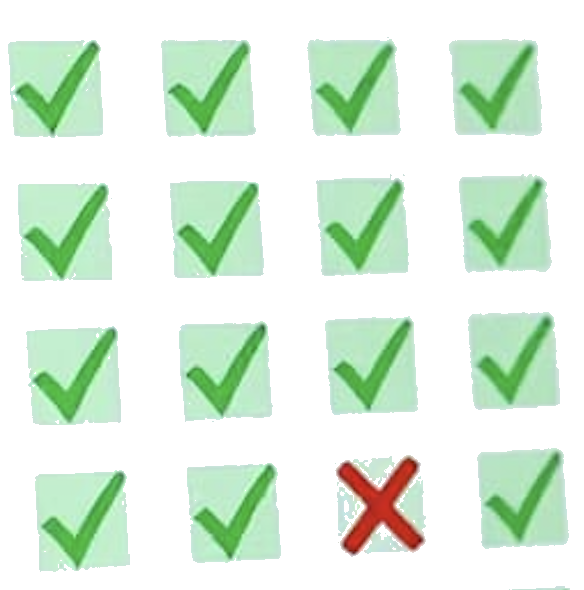
You ship a fix. Tests pass. Three weeks later a customer reports that a flag you didn’t touch now produces different output. Nothing in your test suite catches it because your tests check behavior, not output. What you needed was a regression test—a snapshot of what the command actually produced, compared against what it produces now.
| Resource | Link |
|---|---|
| Video | reg-rs: Snapshot Regression Testing |
| Repo | sw-cli-tools/reg-rs |
| Motivation | Why I Built This |
| References | Historical Context |
| Comments | Discord |
What is reg-rs?
reg-rs (regress) is a CLI tool that captures the output of shell commands—stdout, stderr, and exit code—as “golden” baselines, then re-runs those commands and compares the results to detect regressions. Think of it as snapshot testing for any command-line tool.
Quick Start with Aliases
reg-rs ships with shell aliases that make the workflow fast. Source them once (or add to your .zshrc/.bashrc):
source /path/to/reg-rs/bin/source-rg.sh
Then the full create-run-check-update cycle looks like this:
# 1. Create the thing you're testing
echo 'echo "Hello, World!"' > greet.sh

# 2. Create a regression test — captures the output as the baseline
adrg greet 'bash greet.sh'

# 3. Run the test — compares current output against the saved baseline
rnrg greet
#   PASS

# 4. See the results
lsrg greet
#   PASS   greet   bash greet.sh

# 5. Now change greet.sh (simulate a code change)
echo 'echo "Hey there!"' > greet.sh

# 6. Run the test again
rnrg greet
#   FAIL

# 7. See what changed
shrg greet -vv
#   baseline: "Hello, World!"
#   latest:   "Hey there!"
#   diff:     - Hello, World!
#             + Hey there!

# 8. You decide this change is intentional — accept the new output
uprg greet

# 9. Run again — passes with the new baseline
rnrg greet
#   PASS
The aliases: adrg (add), rnrg (run), lsrg (list), shrg (show), uprg (update/rebase), rmrg (remove), rsrg (reset), strg (status server), hlrg (help). Tab completion is included.
Or use the full commands: reg-rs create, reg-rs run, reg-rs list, reg-rs show, reg-rs rebase, etc.
Text-Based Test Format (.rgt)
A recent major change: tests are now stored as plain text files instead of binary SQLite databases. Each test has up to three files:
| File | Purpose | Git-tracked? |
|---|---|---|
test.rgt |
TOML spec (command, timeout, metadata) | Yes |
test.out |
Expected stdout baseline | Yes |
test.err |
Expected stderr baseline (absent if empty) | Yes |
test.tdb |
Runtime cache (latest results, diffs) | No |
An .rgt file looks like:
command = "git --version"
timeout = 10
exit_code = 0
desc = "Version string format check"
expects = "Prints version in semver format"
The .out file is just the golden output, plain text:
git version 2.44.0
This makes tests git-friendly—baselines show up in diffs, code reviews, and blame. The .tdb cache is gitignored; it only stores runtime results for reporting. If you have existing .tdb tests, reg-rs migrate (or mgrg) converts them to the new format.
Detecting a Regression
Here’s a concrete example of reg-rs catching a version change:
# Set up a baseline
echo 'version 1.0.0' > version.txt
adrg version_test 'cat version.txt'

# Run it again---passes, output matches
rnrg version_test
# PASS

# Simulate a change
echo 'version 2.0.0' > version.txt

# Run again---regression detected
rnrg version_test
# FAIL

# See exactly what changed
shrg version_test -vv
# stdout differences:
#   - version 1.0.0
#   + version 2.0.0

# Intentional change? Accept the new baseline
uprg version_test
Dogfooding: reg-rs Tests Itself
reg-rs uses itself to regression-test its own CLI. The test directory contains golden baselines for every subcommand’s help output. After any code change, rnrg checks that no help text, flag names, or usage strings changed accidentally. The demo scripts that exercise this workflow run automatically as part of cargo test.
Monitor: Web Dashboard
reg-rs status -p test
# or: strg test
This launches an Axum web server on port 4740 with a live dashboard. The landing page shows summary counts (pass/fail/pending) across all projects, updating in real time via Server-Sent Events (SSE)—no polling, no page refresh. The SSE stream sends JSON payloads and the client updates the DOM directly, so you see pass counts climb and pending counts drop as each test completes.
The detail view has collapsible sections for failures, passes, and pending tests. Failed tests show inline character-level diffs—expected baseline in green, actual output in yellow—so you can see exactly what changed and decide whether to investigate or rebase. A JSON API at /api/status is available for programmatic access.
Motivation
I’ve used regression testing tools for over 25 years, starting with regress at Forte Software in Oakland around 2000. The idea is simple and powerful: capture what a command produces, then verify it hasn’t changed. When I started learning Rust in 2020, I created a private implementation called rtt1. I’ve now forked and open-sourced it as reg-rs under an MIT license, with AI features already implemented: –describe generates test commands from natural language, and analyze triages failures using Claude. The PRD and subject study document the full roadmap and real-world testing patterns.
The Throwback
In 2000, I was working at Forte Software in Oakland, California. Forte had a C/C++-based regression testing tool called regress. The concept was straightforward: run a command, save the output, run it again later, diff the results. Simple, but it caught real bugs that unit tests missed—the kind where the output format changed, or an error message got reworded, or a flag silently started behaving differently.
Sun Microsystems acquired Forte, and since Sun was focused on Java, I wrote jregress over the next year—a clean-room implementation, not a port. It was partly a learning exercise, partly practical: the Java development teams and QA needed a regression tool that lived in their ecosystem, and writing it in Java meant I could maintain it myself and add features as QA requested them. Oracle acquired Sun in 2010, and as far as I know, jregress is still being maintained and used there today. There may have been an attempt to open-source it, but I haven’t found it online.
| Era | Tool | Language | Context |
|---|---|---|---|
| 2000 | regress | C/C++ | Forte Software, Oakland |
| ~2001 | jregress | Java | Sun Microsystems (clean-room rewrite) |
| 2010+ | jregress | Java | Oracle (still maintained?) |
| 2020 | rtt1 | Rust | Private learning project |
| 2026 | reg-rs | Rust | Open-sourced, MIT license |
The concept hasn’t changed in 25 years. What’s changed is the tooling around it: Rust gives you single-binary distribution, text-based .rgt files make tests git-friendly, clap gives you a polished CLI with shell aliases and tab completion, and Axum gives you a live monitoring dashboard with SSE. The next evolution is AI—using language models to generate test cases, explain regressions, and maintain baselines as code evolves.
Advanced Features
The basics—add, run, list/show—cover simple cases. Real CLI tools present harder challenges: non-deterministic output, interactive prompts, binary files, and slow test suites. reg-rs has features for all of these.
Taming Non-Deterministic Output
CLI output often contains timestamps, temp paths, PIDs, and version strings that change between runs. reg-rs provides two mechanisms to handle this.
--preprocess (-P): Pipe stdout/stderr through a shell command before diffing:
# Mask temp directory paths (macOS resolves /tmp to /private/var/...)
adrg my_test 'my_tool run' \
  -P "sed 's|/tmp/[^ ]*|<TMPDIR>|g; s|/private/var/[^ ]*|<TMPDIR>|g'"
--diff-mode (-M): Built-in normalization for common formats:
# JSON: sorts keys and pretty-prints before diffing
adrg api_test 'curl -s localhost:8080/status' -M json

# Lines-unordered: sorts lines before diffing
adrg completions 'mytool complete commands' -M lines-unordered
Command Timeouts
Interactive CLIs that prompt for input will hang indefinitely in non-interactive shells. The --timeout flag (in seconds) makes them fail fast:
adrg pjmai_help 'pjmai-rs --help' --timeout 10
Self-Documenting Tests
Tests can carry their own documentation, stored in the .rgt file:
adrg pjmai_help 'pjmai-rs --help' --timeout 10 \
  --desc "Verifies help text is stable" \
  --expects "Standard clap help output" \
  --flaky-note "None - deterministic"
These metadata fields appear in failure reports at -vv verbosity and are consumed by the analyze subcommand for AI-powered triage.
Parallel Execution
The --parallel flag runs all matching tests concurrently, one thread per test:
rnrg pjmai --parallel
Each test has its own independent files, so there are no concurrency conflicts.
Testing Binary Output
Not all CLI tools produce text. favicon generates PNG and ICO images—binary output where line diffs are meaningless. The subject study documents approaches including SHA-256 checksums, base64 encoding, and hybrid strategies for visual comparison.
AI Features
Several AI features are implemented (not just planned). All require ANTHROPIC_API_KEY.
AI-Powered Test Creation (--describe)
Describe what you want to test in natural language instead of writing the shell command:
reg-rs create -t status -D "show git status of current directory"
# AI generates: git status
Add --context (-C) to feed the AI existing help text for better command generation:
reg-rs create -t pjmai_list \
  -D "test the list subcommand with no projects" \
  -C "pjmai-rs --help"
AI Failure Analysis (analyze)
When tests fail, the analyze subcommand sends the original output, latest output, and diff to Claude for triage:
reg-rs analyze -p my_failing_test
It classifies failures as true regressions, flaky tests, environmental changes, or stale baselines—helping you decide whether to investigate or rebase.
Getting Started
Clone and build:
git clone https://github.com/sw-cli-tools/reg-rs.git
cd reg-rs
cargo build --release
Set up aliases:
source bin/source-rg.sh
Create your first test:
adrg hello 'echo hello world'
rnrg hello
lsrg hello
References
| Resource | Link |
|---|---|
| reg-rs Repository | github.com/sw-cli-tools/reg-rs |
| User Guide | docs/user-guide.md |
| Subject Study | Testing CLI tools with reg-rs |
| PRD | Product Requirements |
Historical Context
| Era | Resource | Notes |
|---|---|---|
| 2000 | Forte Software / Sun | regress was an internal C/C++ regression testing tool |
| 2000s | jregress | Clean-room Java implementation at Sun Microsystems |
| 2010 | Oracle acquires Sun | jregress continues in use internally |
| 2020 | rtt1 | Private Rust implementation, learning project |
| 2026 | reg-rs | Open-sourced fork under MIT license |
The best test is the one that catches the change nobody expected. Regression testing has been doing that for decades—now with better tools.
Part 7 of the Throwback Thursday series. View all parts | Next: Part 8 →
Comments or questions? SW Lab Discord or YouTube @SoftwareWrighter.